
Garden AI - Landscape Design
FATE YAZILIM VE TEKNOLOJI LIMITED SIRKETIArt & Design
4.4145.00 Reviews
- Version
- 1.1.42
- Installs
- 100.00K
- Age Rating
- Everyone
Screenshots
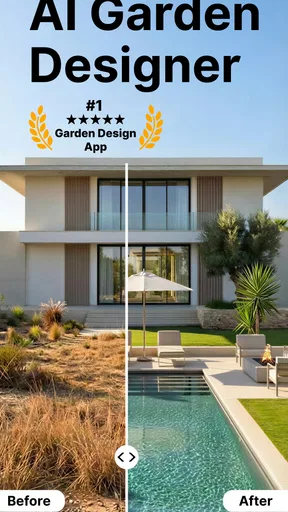
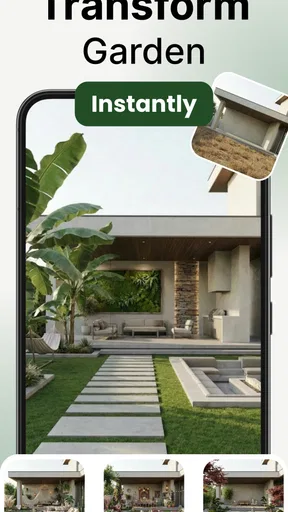
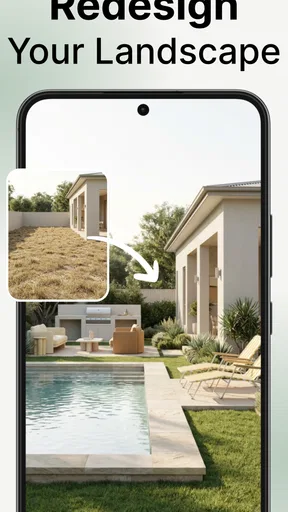
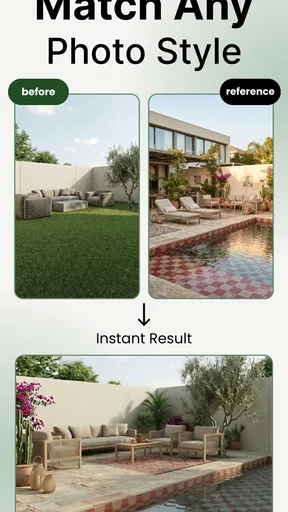
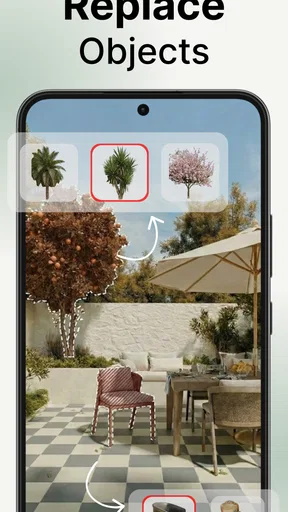
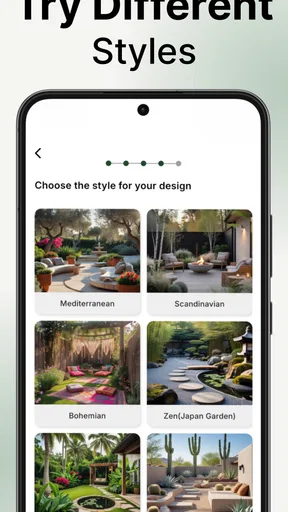
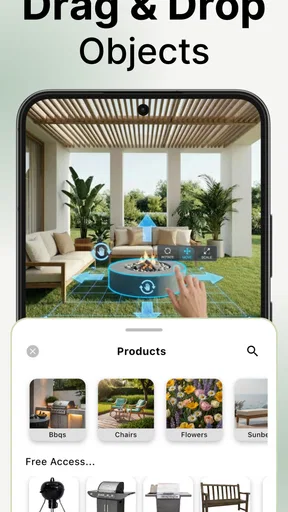
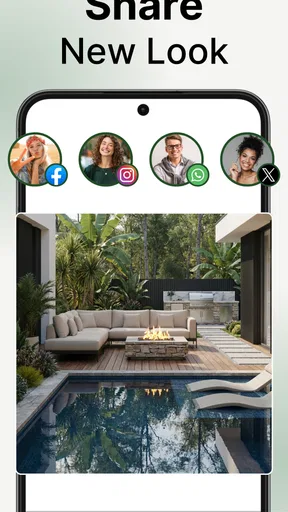
Our Review of Garden AI - Landscape Design
 Analysis by Appyee
When I want to improve an outdoor space but can’t yet picture what will work, I find it useful to start with a visual plan rather than buying plants on impulse. Garden AI - Landscape Design is aimed at that early, idea-gathering stage: it gives you a way to explore possible garden looks and think through a transformation before committing time or money. I’d treat it as a creative planning aid, not a substitute for checking what will actually thrive in your yard.
A Practical First Pass Through the Design
My most useful approach is to begin with one clear question: what do I want this space to do? A garden meant for quiet sitting has different priorities from one that needs room for children, a dining area, or vegetables. Keeping that purpose in mind helps make the design suggestions easier to judge. Instead of asking whether a scene looks attractive in isolation, I can ask whether it supports the way I actually use the yard.
I’d also work through the space in manageable portions. If the whole yard feels like too much to plan at once, start by considering the area that bothers you most: an empty strip beside a path, a bare patio edge, or a corner that never seems inviting. A focused first design gives you something concrete to react to, and it is easier to revise a small idea than to commit to a complete makeover in your head.
That distinction matters because AI-generated inspiration can make a finished garden look effortless. Real outdoor projects involve existing features, changing weather, maintenance, and practical constraints. I would use a concept to narrow down a style or arrangement, then check the details in person before purchasing anything. The app is most helpful when it gets you from “I don’t know what to do” to a short list of possibilities.
Settings and Choices Worth Thinking Through
Garden planning is more personal than choosing a pretty theme. Before settling on a look, I’d think about how much upkeep I’m willing to take on, how much open space I want to preserve, and whether the garden needs to serve more than one purpose. A dense, flower-filled design may look appealing, but it can be the wrong direction for someone who wants a low-effort place to relax.
It also helps to separate preferences from requirements. Color, mood, and decorative style are preferences; access to a door, a clear route across the yard, and room to use outdoor furniture are practical needs. When those get mixed together, it is easy to accept a design that looks polished but would be awkward day to day. I’d settle the practical questions first, then use visual suggestions to explore the style.
If you are comparing a few ideas, keep one element consistent between them. For example, compare different planting styles while keeping the main seating area in the same place. That makes it easier to see what the change actually does, rather than judging several unrelated differences at once. This simple habit turns casual browsing into a more useful design decision.
Faster Ways to Make the Ideas Useful
A good shortcut is to save your attention for decisions that affect the whole space. Start with the broad arrangement and mood, then think about individual details only after you have a direction you like. There is little value in debating decorative accents if you are still unsure whether the garden should feel open, secluded, or organized around a place to sit.
I’d also keep a small note of what each concept is meant to solve. “More privacy near the seating area” is more useful than “try a nicer garden.” A clear purpose makes it easier to compare options later and helps prevent an attractive image from becoming the goal by itself. If you are working with someone else, those notes can make a conversation about preferences more specific and less subjective.
For a realistic everyday example, imagine noticing on a Saturday morning that the path to the shed is muddy and the patio feels disconnected from the rest of the yard. Rather than planning a complete redesign, I’d use the app to explore a few ways of making the route feel intentional and linking it visually to the sitting area. Then I’d walk the route, check where water collects, and decide which changes are practical. That sequence uses the app for inspiration while letting the actual yard settle the final choice.
Where It Fits Among Garden-Planning Options
Compared with sketching on paper, an AI design tool can make it quicker to explore different visual directions without drawing every version by hand. Paper still has an advantage when you want to record exact measurements, mark fixed obstacles, or make a simple plan that you can take outside. I would not treat the two methods as competitors: a generated concept can help with ideas, while a rough sketch can keep the practical layout honest.
Compared with hiring a landscape professional, an app is a lower-commitment place to begin, especially when you do not yet know what style you prefer. A professional is the better choice when the project involves complicated grading, drainage, construction, or detailed planting decisions that depend on local conditions. The app can help you describe what you like before that conversation, but it cannot replace site-specific expertise.
It is also different from browsing garden photos. Images can be inspiring, but they often show spaces unlike your own and do not necessarily help you imagine a change in context. AI-assisted design is more useful for turning a vague wish into a visual direction. Still, inspiration is not proof that a layout will fit, so I’d compare ideas against the real dimensions and conditions of the yard before treating them as a plan.
Who Will Get the Most From It
I can see this being a good fit for people who are starting from a blank slate, trying to refresh an untidy yard, or struggling to explain a design idea to family or a contractor. It can also help a beginner get past the intimidating first question of where to start. If you enjoy experimenting visually before making a decision, the creative process is likely to be the main attraction.
On the other hand, I would skip it as the main planning tool if you need precise construction drawings, verified plant recommendations for a specific climate, or a detailed estimate of materials and labor. Those needs call for measurements, local knowledge, or professional advice. It may also be less satisfying if you already have a firm planting plan and want a specialized reference tool rather than a source of broad design concepts.
One useful way to judge whether it suits you is to ask what decision you expect it to make easier. If the answer is “help me picture a few directions,” it has a clear role. If the answer is “tell me exactly what to build and what will survive here,” expectations should be more cautious. Keeping that boundary in mind makes the app more useful and reduces the chance of mistaking an attractive concept for a ready-to-build design.
Getting Started with Garden AI
The first thing you'll notice when you open the app is its intuitive interface. It's like the app knows you might be a bit intimidated by the world of landscape design and has decided to hold your hand through the process. Setting up is a breeze; just input some basic info about your garden's dimensions and hit start.
What really catches your eye is how the app uses AI to suggest designs based on your space and preferences. It’s like having a personal garden designer in your pocket! You can choose from various themes, whether you’re going for a minimalist Zen vibe or a colorful cottage garden.
Features That Stand Out
One of the coolest features has to be the Augmented Reality (AR) mode. This lets you visualize how different plants and layouts will look in your actual space. Just point your camera, and voilà! You can see whether that row of lavender really complements your patio furniture or if it’s a bit too much.
Another highlight is the plant encyclopedia. If you’re anything like me, plant names go in one ear and out the other. With this feature, you can quickly identify plants and get detailed care instructions. No more guessing games or Google searches—it's all right there.
Designing Your Dream Garden
Once you've selected your design theme, the app guides you through a step-by-step process. You can add pathways, water features, and even garden furniture. It’s incredibly satisfying to see your virtual garden come to life. Plus, the app gives you a shopping list of plants and materials, so you’re all set to bring your digital creation into the real world.
For those who are more hands-on, the app allows for customization. You can tweak the designs to fit your unique vision. Want to add a birdbath or a vegetable patch? Just drag and drop. The possibilities are endless, and the control is entirely in your hands.
Why You'll Love It
What makes this app a must-have is its accessibility. No need for fancy design software or expensive consultations. With Garden AI - Landscape Design, you can experiment with different ideas without any commitment. It's perfect for anyone who wants to dip their toes into landscape design without diving into the deep end.
And let’s not forget the community! The app connects you with other garden enthusiasts where you can share your designs and get feedback. It’s like a social media platform, but for plant lovers. You might even pick up some tips and tricks from more experienced users.
What to Expect Before You Commit
The app is free to download, with optional in-app purchases priced from $3.99 to $39.99 per item. I’d start with the free experience and decide whether the tools fit your planning habits before spending anything. That is especially sensible if you are only looking for a one-off idea for a small corner rather than an ongoing design workspace.
Garden AI is an Art & Design app from FATE YAZILIM VE TEKNOLOJI LIMITED SIRKETI. It has a 4.6 average from around 7.3K ratings, with 78 written reviews, and more than 100K installs. It is rated Everyone, and version 1.1.5 requires Android 7.0 or later. It was released on February 15, 2025. Those details make it accessible to a broad audience, though the best reason to try it is still whether visual garden planning suits the way you make decisions.
One question I would keep in mind is whether a design suggestion accounts for the conditions in my own yard. A visual arrangement can help me think about placement and style, but sunlight, soil, drainage, and local growing conditions still need real-world checking. I would use the plant information as a starting point for learning, not as a guarantee that a particular choice will thrive in every location.
Another practical question is how much to trust a shopping list. It can be a useful way to remember the kinds of plants or materials represented in a concept, but I would verify quantities, dimensions, and suitability before ordering. A digital design is a planning aid; it cannot automatically account for every detail of a particular property or a supplier’s available stock.
Wrapping Up
In a nutshell, Garden AI - Landscape Design is a fun, approachable way to turn a vague wish for a better yard into a visual starting point. I like it most when I use it to compare directions, test a mood, and clarify what I want before I begin practical work. It is less convincing as a final authority on construction or planting choices, so I would pair its ideas with measurements and local advice when the project gets serious.
If your garden has been neglected for too long, why not give the app a try? You might just discover your new favorite hobby.
Happy gardening!
Verdict
Strengths of Garden AI - Landscape Design
- User-friendly interface with intuitive controls.
- Wide variety of plants and design elements.
- Real-time AR visualization for better planning.
- Customizable templates for quick starts.
- Regular updates with new features and plants.
Limitations of Garden AI - Landscape Design
- Requires a stable internet connection.
- Some advanced features need in-app purchases.
- Limited support for unusual plant species.
- Occasional lag in AR mode on older devices.
- High battery consumption during extended use.
Similar Picks in This Category
View All
Canva: AI Photo & Video Editor
Canva4.8

PENUP – Drawing-sharing SNS
Samsung Electronics Co., Ltd.4.5

Crafto
Kutumb App4.6

Sketchbook
Sketchbook4.1

ibis Paint X
ibis inc.4.5

Adobe Express: AI Photo, Video
Adobe4.6
Frequently Asked Questions
What is Garden AI - Landscape Design, and what does it offer?
Garden AI - Landscape Design is an innovative app that uses artificial intelligence to help users design and plan their garden landscapes. It offers features such as plant recommendations based on climate and soil type, 3D visualization of garden layouts, and maintenance tips. The app is ideal for both novice and experienced gardeners looking to enhance their outdoor spaces.
Is Garden AI - Landscape Design suitable for beginners?
Yes, Garden AI - Landscape Design is perfect for beginners. The app provides step-by-step guidance on creating a garden plan, selecting suitable plants, and implementing design ideas. Its user-friendly interface and AI-driven insights make it easy for anyone to start designing their dream garden without prior expertise.
What platforms is Garden AI - Landscape Design available on?
Garden AI - Landscape Design is available for download on both Android and iOS platforms. Users can easily find the app in the Google Play Store or Apple App Store, making it accessible for a wide range of devices. Ensure your device meets the app's compatibility requirements for optimal performance.
Does the app provide personalized recommendations?
Yes, the app offers personalized recommendations based on your specific garden conditions, such as climate, soil type, and available space. By analyzing these factors, Garden AI - Landscape Design suggests the best plants and design ideas tailored to your unique environment, ensuring a thriving and visually appealing garden.
Are there any subscription fees for using Garden AI - Landscape Design?
Garden AI - Landscape Design offers a freemium model. While the basic features are free, users can access premium features through a subscription. These include advanced design tools, exclusive plant databases, and personalized consultations. Check the app for current pricing and subscription options to see what suits your needs.
